
OpenFrame Desktop & Mobile Apps
Phase 1 — Account & Workspace Setup · OpenFrame Onboarding
OpenFrame runs in your browser, and there are also apps for Mac, Windows, iPhone, iPad and Android. Your account is the same everywhere. These are apps for your technicians, not the agent you install on managed devices.
Quick steps
- Go to Settings → Download Apps.
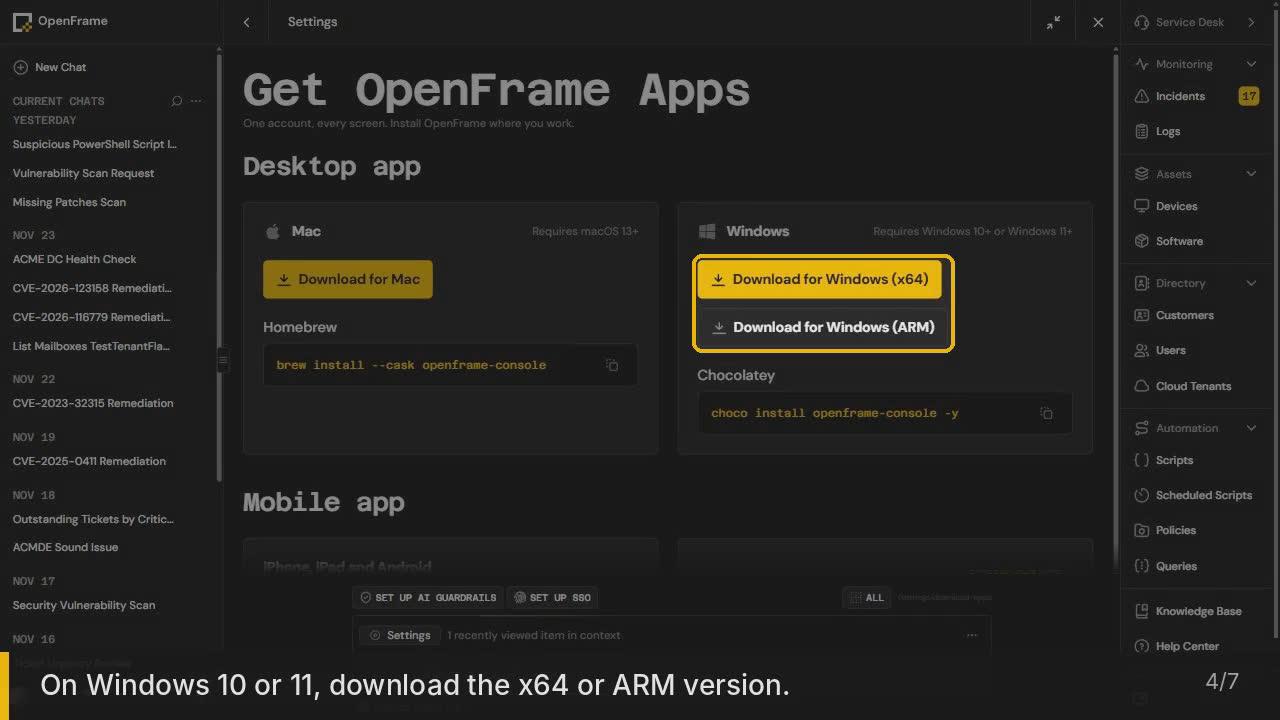
- Desktop: click Download for Mac or Download for Windows, or install with Homebrew or Chocolatey.
- Mobile: scan the QR code with your phone, or open flamingo.run/mobile.
- Sign in with your usual OpenFrame account.
Desktop app
| Platform | Requirement | Install |
|---|---|---|
| Mac | macOS 13 or later | Download for Mac, or brew install --cask openframe-console |
| Windows | Windows 10 or 11 | Download for Windows (x64) or (ARM), or choco install openframe-console -y |
The desktop app is the full OpenFrame console in its own window, so it stays open alongside your other tools.
Mobile app
The mobile app runs on iPhone, iPad and Android. Use it to get alerts and respond to tickets on the go. On Download Apps, scan the code with your phone's camera, or open flamingo.run/mobile on the phone.
Common questions
Is there an OpenFrame desktop app? Yes, for Mac (macOS 13+) and Windows 10 and 11, including Windows on ARM. Get it from Settings → Download Apps.
Can I install the desktop app with Homebrew or Chocolatey? Yes: brew install --cask openframe-console on Mac, or choco install openframe-console -y on Windows.
Is there a mobile app? Yes, for iPhone, iPad and Android. Scan the code on Download Apps or open flamingo.run/mobile.
What can I do on mobile? Get alerts and respond to tickets on the go.
Is the desktop app the same as the agent? No. The apps are for technicians. Managed devices get the OpenFrame agent from Assets → Devices → Add Device.
Do I need a separate account for the apps? No. Sign in with your usual OpenFrame account.
Quick checklist
- Opened Settings → Download Apps
- Installed the desktop app, if you want one
- Installed the mobile app for on-call alerts
What's next
Set up alerts so the apps have something to tell you: Configure Your Notification Preferences.